I was inspired to write this post after a conversation about the difference between data and information.
A small disclaimer before we get into this.
This post has A Lot of lists.
Not to stress you out, but to show you the full scope of what you are managing.
Because if your business information feels scattered, I want you to know you are not alone.
And every list I share here is still not complete. There is always more.
That is exactly the point.
Business owners are not only managing files, emails, or notes.
They are managing an entire ecosystem of information behind their business.
No wonder it feels like a lot.
Many think organizing a business means having a clean desk, a pretty planner, or a perfectly color-coded project management system.
And while I love a good system, the real organizing challenge for online business owners usually runs much deeper than that.
It is not only the files, the inbox, the stacks of paper on your desk, or the ridiculous amount of tabs open that deserve their own support group.
What you are really managing is an entire ecosystem of information.
Marketing assets
Client details
Financial records
Receipts
Offers
Payments
Content ideas
Passwords
Legal documents
Emails
DMs
Notes
Plans
Decisions
Personal life logistics
And all the little “I need to remember this” details that somehow end up in your head instead of in a reliable place.
No wonder your business feels hard to organize.
You are not only trying to run a business. You are trying to manage every piece of information your business depends on, while also making decisions, serving clients, marketing your work, keeping up with your life, and remembering whether you actually replied to that one email from three Tuesdays ago.
That is a lot.
And when all of that information is scattered, your business starts to feel heavier than it needs to.
Data is not the same as usable information
This is an important distinction and what drove me to dive into this topic.
Data is the raw material.
It is...
The receipt
The note
The file
The email
The client's name
The payment record
The screenshot
The saved post
The idea
The number
The draft
The detail
Information is what happens when that data is organized, understood, connected, and useful.
A folder full of receipts is data.
Knowing what you spent, what you earned, what you can deduct, and what needs to go to your bookkeeper is information.
A list of client names is data.
Knowing who is active, who needs follow-up, who may be ready for another offer, and who has not received what they need is valuable information.
An inbox full of emails is data.
Knowing what needs a reply, what needs a decision, what needs to be saved, and what can be deleted is information.
A notebook full of ideas is data.
Knowing which ideas are worth pursuing, which ones belong in a later folder, and which ones are distractions is information.
This is why organizing your business is not only about putting things into planners, folders, and apps.
It is about making your information usable.
Your business does not run on folders. It runs on decisions, follow-through, communication, service, money, marketing, and momentum.
And all of those depend on being able to find and use the right information at the right time.
I believe one of the reasons business owners feel so overwhelmed is because they are trying to solve an information problem with a productivity solution.
They think they need to get better at doing more.
But often, they need to get clearer about what they are holding, what still matters, what needs action, and what can finally leave.
Before You Choose Another System
Most business owners don't need another productivity system before they understand what information they are actually trying to manage.
Because the problem is not always the tool.
Sometimes the problem is that the information has never been fully named, sorted, reduced, or connected to how the business actually works.
So before we talk about folders, apps, planners, project management tools, or yet another place to put your to-dos, we need to look at what you are actually carrying.
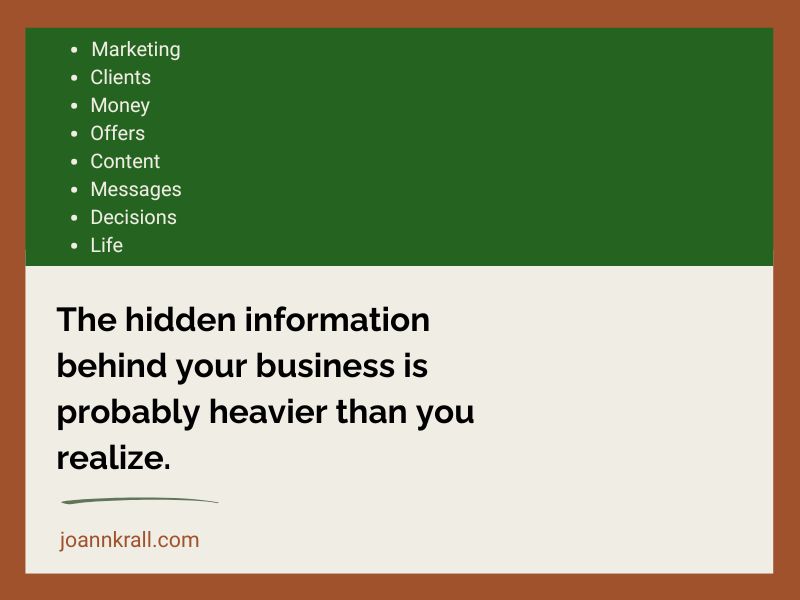
And it is probably more than you realize.
Your business information has grown faster than your systems
This is something I see all the time.
A business starts small.
At first, it is easy enough to remember things.
You have...
A few clients
A few offers
A few documents
A few receipts
A few social media posts
A few passwords
A few ideas floating around
It's relatively easy to manage.
Then the business grows.
And you...
Create more content
Build more offers
Collect more client notes
Sign up for more tools
Download more resources
Get way more emails
Save more screenshots
Create more Canva graphics
Have more conversations in more places
Have more decisions to make
And somewhere along the way, the amount of information your business holds becomes bigger than the systems you created to manage it.
That is usually when things start to feel messy.
It doesn't mean that what you initially implemented is wrong.
It could simply be that your business changed, but the way the information is organized did not change with it. (This applies to so much in life too!)
The system that worked when you had one offer and a handful of clients may not work when you have multiple offers, years of content, a growing email list, client files, financial records, tax documents, AI-generated drafts, and a downloads folder that makes your head spin.
This is where many business owners start blaming themselves.
They think they are inconsistent.
Or scattered.
Or bad at follow-through.
Or not disciplined enough.
But often, the deeper issue is that the information behind the business has become too scattered to use easily.
And when information is hard to find, hard to understand, or hard to act on, everything takes more energy.
The hidden information business owners are managing
When you say, “I need to get my business organized,” it can sound like one task.
It is not one task.
It is many layers of information that are all connected.
This is why it can feel so overwhelming. You may sit down to organize “your business,” but then suddenly you are looking at emails, client notes, receipts, old sales page drafts, half-finished offers, random downloads, course notes, a Google Drive situation, and a Canva account with 47 versions of the same graphic.
No wonder it feels like a lot!
Let’s look at some of the information online women business owners are often managing behind the scenes. Cue up the lists!
✦ Marketing assets and copy
Marketing information is a huge category.
This includes your brand photos, headshots, logos, colors, graphics, Canva templates, bios, testimonials, case studies, opt-in links, landing pages, sales pages, email copy, social media captions, blog posts, podcast notes, video scripts, content ideas, audience research, analytics, hashtags, and screenshots of things you want to remember.
And it rarely lives in one place.
Some is in...
Canva
Google Docs
Your website platform
Your email marketing system
Your inbox
Your phone
Old launch folders
A notebook (this is my downfall, I love a fresh notebook)
An AI chat you meant to come back to
Your downloads folder
This is one reason marketing can feel harder than it needs to. Especially when it's not our expertise, and we aren't in a position to hire it all out.
You may think, “I don’t know what to say.”
But sometimes the truth is, you already have a lot to say. The pieces are simply scattered.
Your best testimonial is buried in an email.
Your strongest post idea is in a notebook.
Your opt-in link is somewhere in your sales platform.
Your updated bio is in a Google Doc called “bio final final updated new one.”
Your best sales copy is in an old launch folder.
Your brand photos are mixed in with vacation pictures and screenshots of recipes.
When your marketing assets are scattered, every marketing task takes longer.
Maybe you know a client said something wonderful about working with you, but you cannot remember where it is.
Was it in an email?
A DM?
A Voxer message?
A comment on a post?
A Google Form?
A random screenshot in your camera roll?
So instead of quickly adding that testimonial to a sales page or post, you spend 20 minutes searching for it, get annoyed, and decide you will “do it later.”
And we all know where “later” likes to live: in the same neighborhood as ‘someday,’ ‘I’ll remember,’ and ‘I know I saved that somewhere.’”
This is also how you end up rewriting sales copy you already wrote.
You know you had a great way of explaining your offer during your last launch, but you cannot find it.
So now you are back in a blank Google Doc trying to recreate something that already existed.
That is NOT a creativity problem.
It's an information organization problem.
And don't get me started on Canva.
Your Canva account may need its own organizing intervention. Mine did, and it's still a battle from time to time.
There are templates, half-finished graphics, old brand colors, quote posts, workshop slides, promo graphics, resized versions, and things named something helpful like “Untitled Design 47.”
No judgment. Canva makes it very easy to create, but it doesn't always make it easy to find the thing again. I think they might need to hire me to make the platform more organizationally friendly.
Organizing your marketing information helps you reuse what already works, show up more consistently, and stop starting from scratch every time you sit down to promote your business.
✦ Client and customer information
Client information is one of the most important categories because it directly affects how well you serve people.
This includes intake forms, discovery call notes, contracts, invoices, payment records, client goals, session notes, project details, preferences, homework, follow-up tasks, scheduling links, Zoom links, support messages, testimonials, renewal opportunities, and referral details.
For service-based business owners and coaches especially, this information matters.
It helps you ...
Remember what the client said
Prepare for sessions
Follow through on promises
Personalize the experience
Notice patterns
Serve well without carrying every detail in your head
But client information can easily end up spread across too many places.
Part of it is In...
Your inbox
Your scheduler
A form
A Google Doc
Your payment processor
Text messages or DMs
Your memory, which is not exactly the most reliable business tool for most people
When client information is scattered, you may spend extra time preparing, searching, rereading, or trying to remember what was decided.
That creates stress, and worse, if you don't find what you are looking for, you might look incompetent even though we know you are great at what you do!
Those small service gaps that have nothing to do with your care or ability.
You care deeply. You are good at what you do. But if the information has no clear home, it becomes much harder to access when you need it.
Good client organization is not about being fancy.
It is about making it easier to serve people with calm, confidence, and consistency.
✦ Financial and tax information
This is the category many business owners would rather avoid until absolutely necessary.
Receipts
Invoices
Payments
Subscriptions
Refunds
Bank statements
Credit card statements
Tax forms
1099s
W-9s
Contractor payments
Affiliate income
Payment processor reports
Bookkeeper notes
CPA emails
Tax Estimates
Business deductions
Software expenses
Launch income
Offer-specific revenue
As with many of these lists, more that I am missing as I type this.
There is a lot of data connected to money.
And when that data is scattered, it can create expensive stress.
You may...
Miss deductions
Forget subscriptions
Lose receipts
Delay tax prep
Avoid looking at your numbers
Spend too much time gathering documents at the last minute
Or have no clear picture of which offers are actually profitable
This is where business organization connects directly to money.
Because financial information is not only for tax season.
It helps you make better decisions.
What is bringing in revenue?
What is costing more than you realized?
What can you stop paying for?
Which offer is worth repeating?
Which expenses are supporting your growth?
Which ones are draining your resources?
A pile of receipts does not answer those questions.
Usable financial information does.
✦ Offers and programs
Offers carry a lot of information too.
Offer names
Descriptions
Pricing
Bonuses
Sales pages
Checkout links
Email sequences
Curriculum
Worksheets
Workbooks
Slide decks
Call schedules
Delivery details
Client expectations
FAQs
Testimonials
Refund policies
Onboarding steps
Offboarding steps
Upsell paths
Renewal options
Launch notes
Past versions
If you have been in business for a while, this category can get messy very quickly.
You may have old offers, current offers, half-built offers, retired offers, renamed offers, offers you might bring back, offers you no longer believe in, and offers that exist mostly in your head.
You may also have multiple versions of the same offer living in different places.
The old sales page says one thing
The checkout page says another
The email sequence mentions a bonus you no longer include
The workbook has the former name
The Canva graphic has last year’s price
The testimonial is great, but you cannot remember which offer it belongs to
This is how offer confusion happens behind the scenes.
And when your offer information is disorganized, selling gets harder.
Not because the offer is bad, but because you are not completely clear on what belongs where, what is current, what is outdated, and what needs to be decided.
Organizing your offer information helps you see what you actually have, what needs to be updated, what can be retired, and what deserves more attention.
Sometimes the next level of your business is not about creating a brand-new offer.
Sometimes it is about organizing and strengthening what already exists.
✦ Business systems and operations
This is the behind-the-scenes information that keeps the business running.
Standard operating procedures
Checklists
Templates
Workflows
Automation notes
Password records
Software logins
Tech setup details
CRM records
Task lists
Project management boards
Recurring tasks
Launch checklists
Onboarding workflows
Offboarding workflows
Customer service responses
Contract templates
Proposal templates
File naming conventions
Folder structures
Backup systems
Domain and hosting details
Website update notes
This category is easy to underestimate.
Many business owners are running their business on memory.
They know how to do the thing, so they do not always write it down.
That works until you are tired, busy, interrupted, growing, outsourcing, launching, or trying to repeat something you have not done in six months.
Then suddenly you are trying to remember every step. Plus, if you ever want or need someone to take over, training won't be seamless.
How did I set up that automation?
Where is that template?
What happens after someone buys?
What email do they receive?
Where is the replay uploaded?
What is the process for onboarding?
What do I need to do before a launch?
What did I forget last time?
When your systems live only in your head, your brain becomes the operations manual.
That is exhausting.
Organized business systems do not have to be complicated. They do not have to look like a corporate operations department. But they do need to give the important information a reliable place to live. I should probably do an entire blog post on Standard Operating Procedures (SOPs), which won't be glamorous, but is any of this?
The more your business depends on your memory, the harder it is to grow with ease.
✦ Content ideas and creative information
This one deserves special attention because content data can look harmless.
It is a saved post here
A screenshot there
A quote in your notes app
An idea in a notebook
A voice memo
A half-written email
A podcast topic
An AI-generated draft
A line from a client conversation
A thought you had in the shower
A brilliant sentence you typed into a document, and then named the document something deeply unhelpful
Content ideas are everywhere.
And for many business owners, the problem is not a lack of ideas.
It is too many ideas with no clear path.
The ideas pile up
The drafts pile up
The saved resources pile up
The screenshots pile up
The unfinished thoughts pile up
Then, when it is time to create content, you either cannot find the idea you wanted, or you find so many ideas that you do not know where to begin.
This is how content creation becomes overwhelming.
Not because you have nothing to say, but because your ideas have not been organized into something you can actually use.
A good content system helps you capture ideas, sort them, choose what matters now, and move ideas from raw thought to finished piece.
That last part matters because collecting ideas can feel productive, but using ideas is what creates movement.
✦ Communication and messages
Business communication comes from everywhere now.
Email
DMs
Texts
Contact forms
Client portals
Voxer
Slack
Facebook groups
Instagram comments
LinkedIn messages
Calendar invites
Zoom chats
Website inquiries
Podcast invitations
Collaboration requests
Referral conversations
Customer questions
This creates one of the biggest sources of open loops.
Someone asked a question
Someone needs a reply
Someone sent a link
Someone gave you a deadline
Someone expressed interest
Someone asked for details
Someone sent a document
Someone followed up
And now the information is sitting in seven different places.
This is where the mental load gets heavy.
Because even when you are not actively working on those messages, your brain may still be holding them.
I need to reply to her
I need to send that link
I need to check that form
I need to follow up
I need to answer that DM
I need to remember what she asked
I need to move that note somewhere
When your communications are scattered with no clear system, your inbox, DMs, and brain become one giant to-do list.
That is not sustainable.
You need a way to separate messages into categories like respond, decide, save, delegate, schedule, delete, and follow up.
Otherwise, every message feels equally important, which means your brain has to keep evaluating the same things again and again.
✦ Legal and compliance information
This may not be the most exciting category, but it matters.
Contracts
Terms and conditions
Privacy policy
Disclaimers
Refund policy
Client agreements
Contractor agreements
Affiliate agreements
Copyright information
Trademark details
Business registration
Insurance documents
Licenses
Permits
Accessibility notes
Data privacy information
This is the kind of information people often put somewhere “safe.”
And then “safe” becomes a mystery location. I can see you nodding as you read this! I think this is built into nearly every human.
Legal and compliance information does not need to be in your face every day, but it does need to be easy to find when you need it.
When something comes up, you do not want to be digging through old emails, random folders, downloads, and five versions of a contract.
You want to know where your important business documents live.
Knowing where they are gives you peace of mind.
✦ Learning resources and downloads
Online business owners collect a lot of resources. Have you heard my story about me deleting a "To Read" file with over 800 files?
Courses
Workbooks
Templates
Summit replays
Webinar notes
PDFs
Swipe files
Book notes
Podcast notes
Masterclass downloads
Membership resources
Certifications
AI prompts
Screenshots
Checklists
Guides
Freebies
And many of these resources are genuinely useful.
And then there is the Downloads folder.
The place where good intentions go to hide just beyond your sight, smirking at you every time you open your computer.
A PDF you were definitely going to read
A workbook from a workshop you forgot you attended
A freebie you downloaded because the title sounded exactly like what you needed that day
A template that might be useful someday
A replay link you saved, even though you are not totally sure where
None of this means the resources are bad.
But when they are all sitting together without decisions, they stop feeling supportive and start feeling like one more pile.
The problem is not always that you downloaded too much, although sometimes that is definitely part of it.
The bigger problem is that most resources are collected without a decision.
Why am I saving this?
When will I use it?
Does it support something I am working on now?
Is this still relevant?
Where will I find it again?
What do I need to do with it?
Without those decisions, learning resources become information clutter.
They sit in your inbox, downloads folder, Google Drive, desktop, or course library, quietly making you feel behind.
You are not behind.
You may simply be carrying too many resources that have not been evaluated.
Organizing learning resources is not only about storing them neatly.
It is about deciding what is still useful, what supports your current goals, what can wait, and what can go.
More information does not always create more clarity. Sometimes it creates more noise.
✦ Planning and decision information
This may be one of the most important categories of all.
Goals
Revenue targets
Launch plans
Quarterly plans
Monthly plans
Weekly plans
Project lists
Priority lists
Unfinished ideas
Someday ideas
Decision lists
Pros and cons
Brain dumps
Coaching call notes (from your coach)
Strategic plans
Offer ideas
Content plans
Client capacity plans
Hiring plans
Personal capacity notes
This is where the information and the decisions start to overlap.
This is the business owner with ideas in Google Docs, client thoughts in Voxer, reminders in her inbox, a strategy note in a notebook, and three very important things living only in her head.
Nothing is technically “lost.”
But none of it is connected either.
So when she sits down to make a decision, she has to gather the information before she can even think clearly.
Many business owners think they need a better planner. (Yes, that is one of my broken record statements I stand by)
Sometimes they do, but very often, what they need first is fewer open decisions.
What am I focusing on?
What am I selling?
What am I postponing?
What am I letting go of?
What needs action?
What is still only an idea?
What matters this quarter?
What is no longer aligned?
What is taking up space but not moving the business forward?
Planning is hard when everything feels equally important.
And when your plans are scattered across notebooks, apps, sticky notes, documents, and your head, it becomes very difficult to know what you actually decided.
This is why decision work is such an important part of organizing.
You cannot organize around decisions that have not been made.
✦ Personal-life information that affects the business
This is the part we often do not talk about enough.
Business owners are not running their businesses in a vacuum.
They are also managing life.
Family schedules
Appointments
Pet care
Meal planning
Home projects
Household bills
Medical information
Travel details
Personal receipts
Important documents
Insurance papers
Caregiving responsibilities
Home maintenance
Gift ideas
School or adult child information
Household tasks
Even if your business is the focus, your personal information still affects your time, energy, capacity, and ability to follow through.
If your personal life information is scattered, your business will feel it.
You may sit down to work, but your brain is still holding the dentist appointment, the dog’s medication, the bill that needs paying, the form you need to find, and the thing you promised someone you would handle.
This is why I do not believe in pretending business and life are completely separate.
They may have different categories.
But they share the same brain.
And if your brain is overloaded with personal information, it will affect how you show up in your business.
That does not mean everything needs to be perfect at home before your business can work.
It means your systems need to support the whole picture of your real life.
Are you still with me? I know that was A LOT! When I say you aren't alone, I'm not just talking about my clients. I've been helping people get organized for 20 years, and I have had my challenges over the years. I'm organized, but adjustments are always needed. Now let's talk about the cost and some first steps...
The cost of scattered business information
Scattered information costs more than most people realize.
It costs time because you keep searching for things.
It costs energy because your brain is holding too many open loops.
It costs money because missed receipts, forgotten follow-ups, unused subscriptions, and delayed decisions add up.
It costs consistency because it is harder to show up when every task requires a scavenger hunt first.
It costs confidence because you start thinking you are the problem.
It costs client experience because important details are harder to access.
It costs growth because you cannot build on what you cannot find, understand, or use.
And...
You are not only losing files.
You may be losing momentum.
Every time you have to hunt for the thing, recreate the thing, rethink the thing, or reread the thing, your business loses a little energy.
And so do you. It's exhausting.
Organization is not about making everything pretty
I'm not against pretty.
Pretty can be lovely. In fact, I rely on my daughter for the aesthetics because she's the Interior Designer.
But pretty is not the point.
The point of organizing your business information is to make it usable.
Can you find what you need?
Can you understand what you are looking at?
Can you make decisions from it?
Can you follow through?
Can you serve your clients well?
Can you see what is working?
Can you stop carrying so much in your head?
Those are the real goals. (The beauty can come later)
A pretty folder structure that you do not use is not helpful, even though it feels great to create.
That project management tool that overwhelms you is not helpful, especially if you never open it.
A perfectly labeled system that does not match how you think is not helpful. Ask me how I feel about naming conventions.
Your business information needs to be organized in a way that supports the way you actually work.
That may mean fewer folders, or dare I say none at all
It may mean better categories
It may mean a stronger intake system
It may mean clearing out old information before building anything new (for most, this is a must, not a may)
It may mean creating one reliable place for current offers
It may mean simplifying your client process
It may mean finally deciding what is active, what is archived, and what is no longer needed
The solution is not always more software.
Sometimes the solution is more clarity.
I believe business organization should make your work easier, not turn into another performance.
It does not need to look impressive.
It needs to work when you are busy, tired, creative, distracted, growing, or in the middle of real life.
You do not need to organize everything at once
This is where people often get stuck.
Once you see how much information your business holds, it can feel like you need to fix everything immediately.
You do not. Let me say that again, You Do Not!
Trying to organize everything at once is usually what creates more overwhelm.
Start with one category.
Your inbox
Client information
Your offers
Marketing assets
Receipts
Your content ideas
Current projects
Choose one area where the disorganization is costing you the most time, energy, money, or peace. Or if it feels easier, start with the easiest place for a quick win.
Then begin there.
Not with perfection.
With awareness, decisions, and a clear next step.
Business organization is not one giant project.
It is a process of making your information easier to use, one area at a time.
Start by asking better questions
If your business feels hard to organize, do not start by asking, “What system should I use?”
In fact, never start with the System (you can listen to my private podcast episode that you can find the link to on this page)
Start with questions like:
What information am I managing?
Where is it living right now?
What do I need to find most often?
What information am I constantly recreating?
What decisions are still open?
What information is outdated?
What am I afraid to delete?
What am I keeping because I might need it someday?
What information supports the business I am building now?
What information belongs to an older version of my business?
What needs a home?
What needs a decision?
What needs to go? (Purge a little bit each day off this list)
This evaluation will tell you much more than immediately jumping into a new app or folder structure.
Because systems work best after you pare down and understand what they need to support.
This is the real work behind getting organized
When I say I help women business owners get organized, I do not only mean I help them make folders, manage their inboxes, or set up project management and business processes.
I help them organize the information, decisions, and systems behind their business so they can follow through, serve well, and grow.
That includes the visible things like papers, files, inboxes, and notes.
But it also includes the invisible things.
The open loops
The unfinished decisions
The half-built systems
The outdated offers
The scattered client details
The information living in too many places
The ideas that never become action
The resources that became clutter
The systems that no longer fit the business
This is the work that creates breathing room
When your business information is organized, you do not have to work as hard, and you can focus on your genius.
You can find what you need.
You can make decisions faster.
You can follow through with more ease.
You can serve your clients with more confidence.
You can see what is actually happening in your business.
You can stop carrying so much in your head.
And no, everything will not be perfect.
Because business is living, changing, moving information.
But it can be clearer, easier to manage, and you can build systems that support the way you actually work.
A gentle place to begin
If you have read this far and it all feels familiar, breathe, take a few minutes, and ask yourself:
Where is my most important business information living right now?
Is it easy to find?
Is it easy to use?
Is it connected to the way I actually work?
Or am I constantly hunting, recreating, rethinking, and carrying too much in my head?
That answer will tell you a lot.
Because you may not need more information, another course, another download, another app, or another idea.
You might need a way to organize the information you already have so you can finally use it.
And that is where real movement begins.
If I can support you in any way, don't hesitate to reach out to me at [email protected] or visit my https://joannkrall.com/learn-with-me page for free and paid resources and ways to work with me.